September 28, 2026

min read
Join Us for Quickture 2 Demo Day
Register here: https://us02web.zoom.us/meeting/register/bS9BZ3ipSuCsZzR9ZoDaPQ#/registration
Register here: https://us02web.zoom.us/meeting/register/bS9BZ3ipSuCsZzR9ZoDaPQ#/registration
Every editor knows the feeling. The story is in the footage somewhere, scattered across hours of interviews, takes, and b-roll. Until now, most of that story lived on whiteboards, legal pads, index cards, and in your head, while the timeline showed you clips and tracks.
Quickture 2 changes that. It puts Editors and their Stories first, with a new way of working that lets you see your story as you build it, right inside Avid Media Composer and Adobe Premiere Pro.
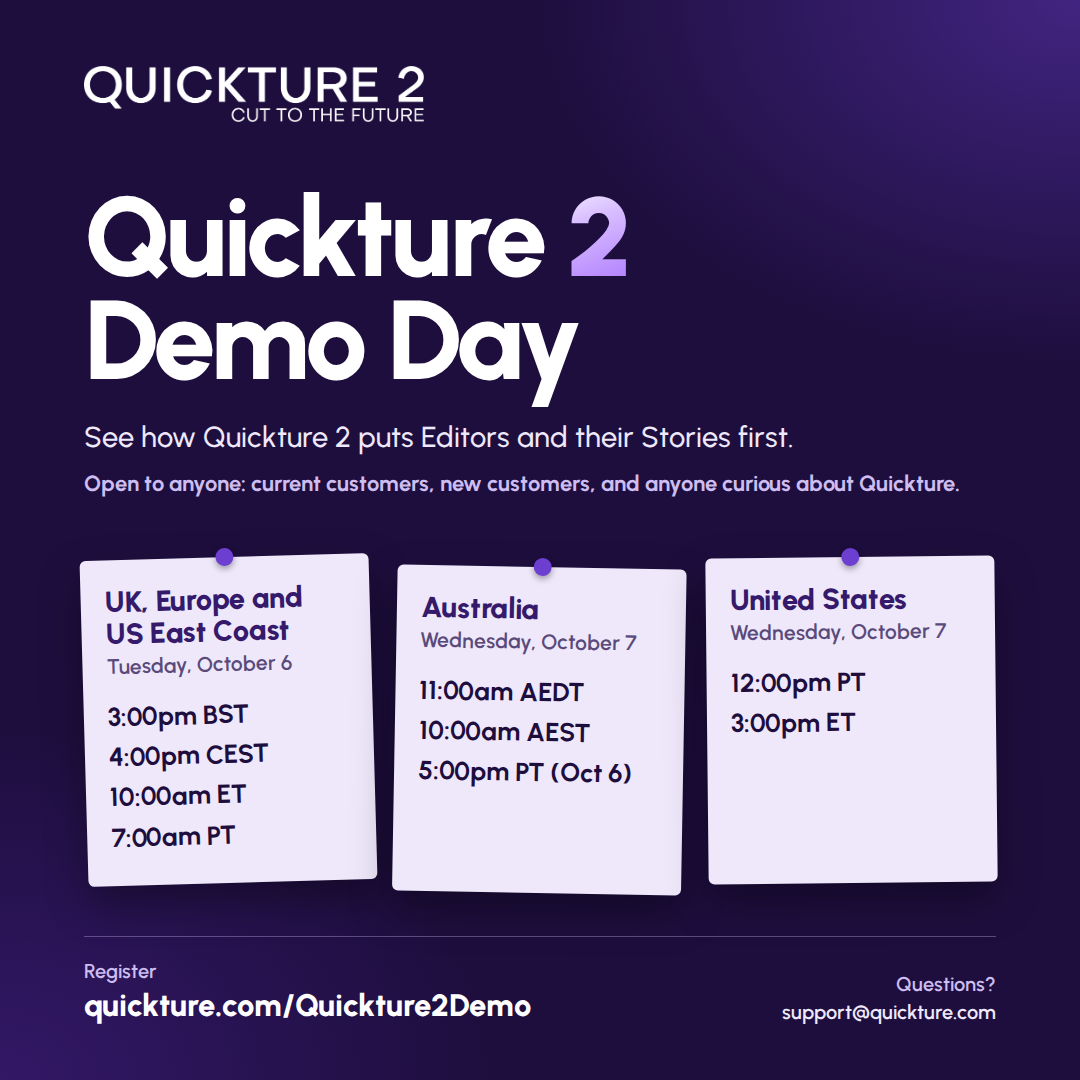
We want to show you how it works. On October 6 and 7, we're hosting Quickture 2 Demo Day: three free, live sessions on Zoom, open to anyone.
Everyone is welcome:
Editors, assistant editors, story producers, producers, post leads, casting teams, educators, and students all have a seat. You don't need an account, and there's no pressure.
We'll walk through Quickture 2 live, on real footage, and leave plenty of time for your questions. Here's what we plan to cover.
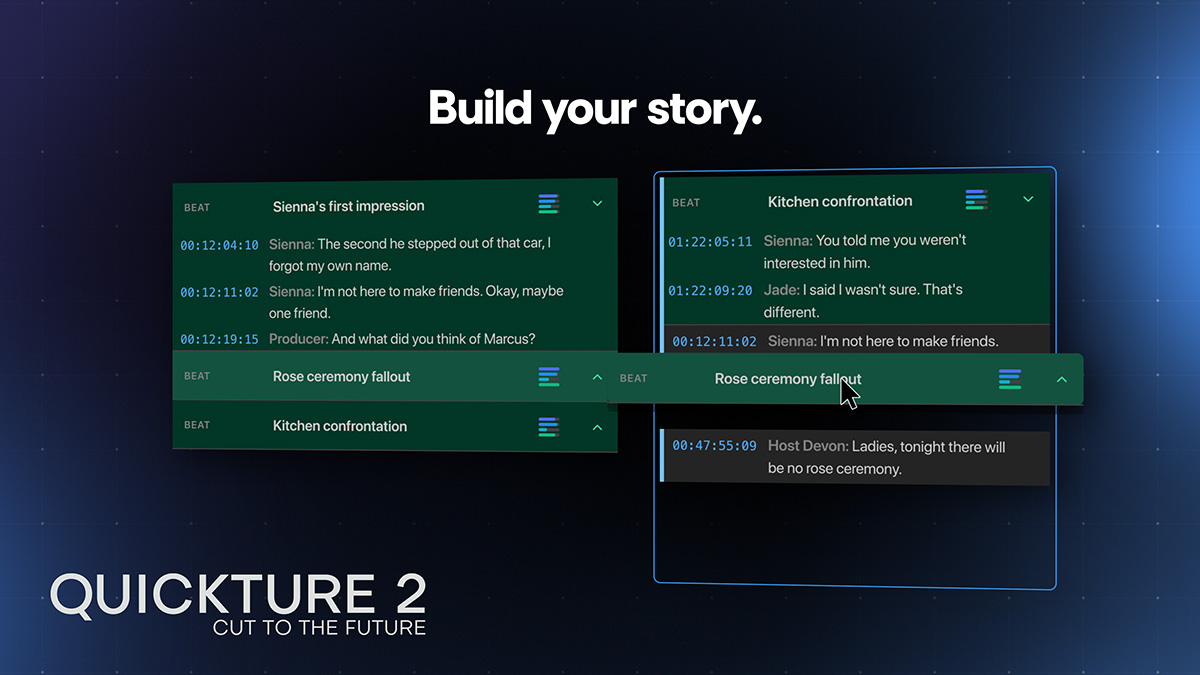
The Story Window. This is the heart of Quickture 2. You discover moments in your footage, then drag story beats, dialogue, b-roll, and graphics into a story draft. You can reorder them, tighten a line by editing its words, and see the shape of your story before you ever touch the timeline.
Make Sequence. When the draft feels right, Make Sequence turns it into a real sequence in your bin in seconds. It's named after your draft, versioned every time you build it, and never overwrites your work. When the notes come in, your draft is still there.
A chat that understands your story. Because the Story Window gives Quickture the narrative context, the chat can work exactly where you point it, down to a single beat or line of dialogue. Ask questions, draft and redraft, or ask for a few versions of a moment and compare them side by side. The creative decisions stay with you.
Search by sight or by speech. Find footage across a sequence, a bin, or your whole project by what's on screen or what's said, then drag the results straight into your cut.
Graphics in the edit. Lower thirds, title cards, transition wipes, and infographics, adjustable right in the panel and rendered into your bin.
Side by side with Quickture 1. Quickture 2 installs alongside the panel you use today, so current customers can move between them as they settle in.
Before opening Quickture 2 up, we sat down with editors and post teams across reality, documentary, feature film, and education for preview sessions. We watched what landed, heard what didn't, and took a lot of notes. Their feedback is built into what you'll see at Demo Day.
The response has been exciting. Nancy Forner, ACE, of the USC School of Cinematic Arts, put it this way:
"Quickture is one of the most exciting AI editing tools I've worked with. Quickture 2 is beyond amazing."
We're running three sessions so every time zone gets a good seat. Each covers the same material, so join whichever works best for you.
UK, Europe and US East Coast
Tuesday, October 6
3:00pm BST / 4:00pm CEST / 10:00am ET / 7:00am PT
East Coast teams, this one's an easy fit for your morning.
Australia
Wednesday, October 7 at 11:00am AEDT (10:00am AEST in Brisbane)
That's Tuesday, October 6 at 5:00pm PT, so US West Coast teams are welcome here too.
United States
Wednesday, October 7
12:00pm PT / 3:00pm ET
Have a question before the session, or want to bring your whole team? Email us at support@quickture.com and we'll help you out.
We can't wait to show you what we've been building. See you there.